What is the Google Supercell Charge on Your Bank Statement?
Finding an unexpected charge on your bank statement can be unsettling. When you see a transaction with a name you don’t recognize, your mind might jump to the worst-case scenario. One such confusing charge that often appears is labeled “Google Supercell.” If you’ve spotted this on your statement and are wondering where it came from, you’re not alone. Let’s break down what this charge is and how to handle it.
What Does Google Supercell Mean?
The “Google Supercell” charge refers to a payment made for a product from Supercell, a popular mobile game developer. Google processes these payments, which is why both names appear on your bank statement. Supercell is the company behind massive hit games like Clash of Clans, Clash Royale, Brawl Stars, and Hay Day.
When you or someone using your account makes an in-app purchase within one of these games on an Android device, the transaction is handled through the Google Play Store. The charge description on your statement combines the payment processor (Google) and the merchant (Supercell), resulting in “Google Supercell.”
Why Does the Google Supercell Charge Appear?
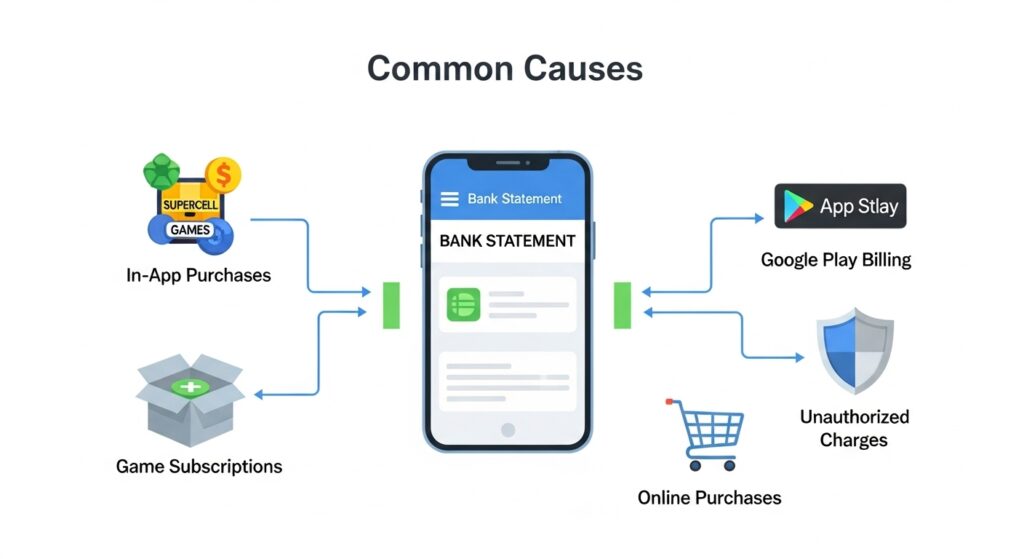
There are several common reasons for a Google Supercell charge to show up on your statement. The most frequent cause is in-app purchases made within a Supercell game. These can include:
- In-game currency: Buying gems, coins, or other resources to speed up progress.
- Special items: Purchasing character skins, upgrades, or exclusive content.
- Battle Passes: Subscribing to seasonal passes that offer rewards and perks.
Often, these charges originate from a family member, especially a child, using a device linked to your Google account. If your payment method is saved on a shared tablet or a child’s smartphone, they might make purchases without realizing it’s real money. For similar unexpected charges, you might want to review guides on other mysterious bank statement entries, such as the LBK or LC charge.
Is the Google Supercell Charge Legitimate?
Most of the time, the charge is legitimate, even if you don’t immediately recognize it. It usually means someone with access to your Google account bought something from a Supercell game. The charge is valid if you or a family member knowingly made the purchase.
However, a charge could be unauthorized or fraudulent if no one in your household plays these games or if you find multiple charges you can’t account for. This could indicate that your Google account or payment information has been compromised.
How to Verify the Charge
Before assuming the charge is fraudulent, take a few steps to investigate it. First, check your Google Play order history. Log into your Google account and navigate to the “Payments & subscriptions” section to see a detailed list of all your purchases. Look for a transaction that matches the date and amount of the charge on your bank statement. You should also check your email for a receipt from Google Play.
Next, think about who has access to your devices. Ask your family members, particularly children, if they recently bought anything in a game like Clash of Clans or Brawl Stars. Often, a quick conversation can solve the mystery. If you find multiple charges from unknown sources, it may help to compare with other common unexplained entries like the Cantaloupe Malvern PA charge or Home Retail Group charges.
What to Do If You Don’t Recognize the Charge
If you’ve checked your purchase history and spoken with your family but still can’t identify the charge, it’s time to take action. Your first step should be to request a refund through the Google Play Store. Google has a straightforward process for reporting unauthorized charges. If the purchase was made recently, you have a good chance of getting your money back.
Your first step should be to request a refund through the Google Play Store. Google has a straightforward process for reporting unauthorized charges. If the purchase was made recently, you have a good chance of getting your money back.
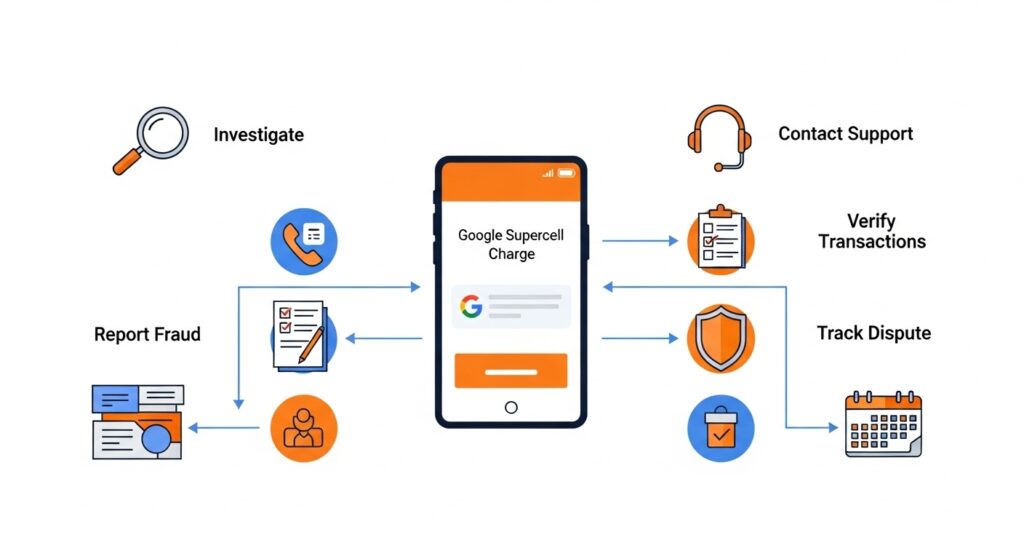
If you have trouble with Google, you can also try contacting Supercell’s support directly through their website or one of their games. For additional insight on handling unexpected bank charges, reviewing articles like the CRO charge or FTB MCT Refund charge may provide useful strategies.
If you believe the charge is truly fraudulent and you cannot resolve it through Google, contact your bank or credit card company. You can dispute the charge as unauthorized, and they will investigate on your behalf.
Preventing Unwanted Charges in the Future
To avoid surprise charges from Google Supercell or other apps, you can take a few preventive measures.
The most effective method is to set up purchase authentication on your Google Play account. This requires a password or biometric verification (like a fingerprint) for every purchase, preventing accidental or unauthorized spending. You can also enable parental controls to restrict in-app purchases on your children’s devices.
It’s also wise to regularly monitor any accounts linked to your payment methods and consider using Google Play gift cards to set a spending limit for in-app purchases.
Conclusion
Seeing “Google Supercell” on your bank statement can be confusing, but it usually has a simple explanation: an in-app purchase from a popular mobile game. By investigating your Google Play history and talking to your family, you can often identify the source quickly. Staying aware of your in-app spending habits and reviewing your bank statements regularly will help you keep control of your finances and prevent any unwelcome surprises.