What is the Dave.com Inc. Charge on Your Bank Statement?
Seeing an unexpected charge on your bank statement can be alarming. You might worry that someone stole your card information or that you are being charged for something you did not buy. If you see a charge from “Dave.com Inc.,” it’s easy to feel confused, especially if you don’t remember what Dave.com is.
This charge is usually related to the Dave app, a popular mobile banking tool. Most of the time, the charge is a small monthly subscription fee or a fee for a specific service you used. This article will explain everything you need to know about the Dave.com Inc. charge, why you might have it, and what to do about it.
What Is Dave.com?
Dave.com is the company behind the Dave app, a financial tool designed to help you manage your money. It’s a mobile banking app that you can download on your smartphone. The main goal of the app is to help people avoid expensive overdraft fees from traditional banks.
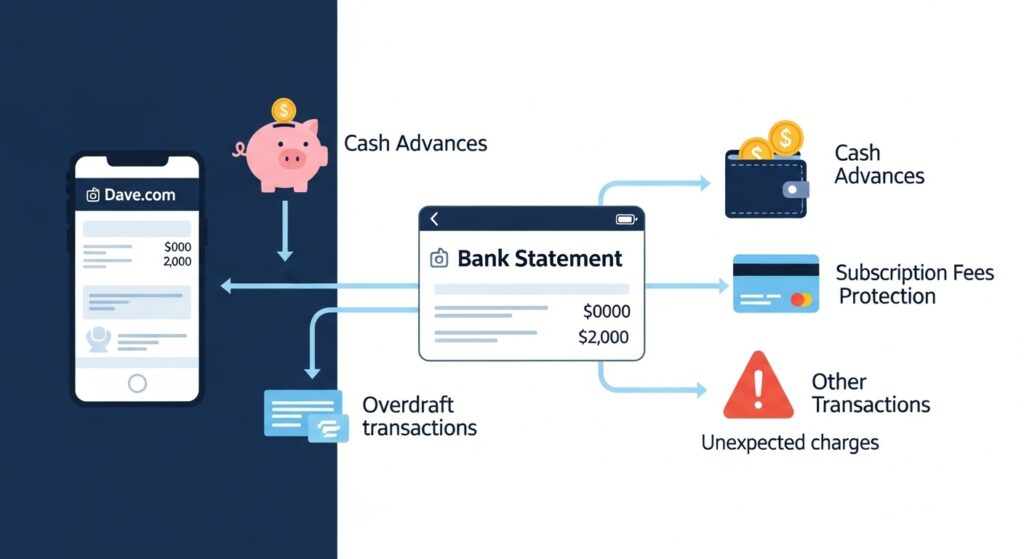
The app offers several key features. One of its most popular services is overdraft protection. If you are about to overdraw your bank account, Dave can give you a small, interest-free cash advance to cover the expense. This service is called ExtraCash™.
Besides cash advances, the Dave app also provides tools for budgeting. You can use it to track your spending and see where your money is going each month. The app helps you plan for upcoming bills so you can stay on top of your finances. Many people sign up for Dave to get a handle on their spending or for a safety net against overdrafts.
Why Do You See a Dave.com Inc. Charge?
If a Dave.com Inc. charge appeared on your bank statement, there are a few common reasons. Understanding them can help you figure out why you were charged.
The most frequent reason is the monthly subscription fee. To use Dave’s core features, like its budgeting tools and eligibility for cash advances, there is a $1 monthly membership fee. This small, recurring charge is often what people see on their bank statements.
Similar small recurring charges can be found with other services; for example, you might be interested in learning more about the CCI Care Com charge that appears on some bank statements.
You might also see a charge for using one of Dave’s optional services. For example, if you request an ExtraCash™ advance and want the money instantly, you can pay a small express fee to have it sent to your debit card in minutes. If you choose the standard transfer, which takes a few days, there is no fee. Some users also leave an optional tip after receiving an advance, which would also appear as a charge.
How to Recognize the Charge on Your Bank Statement
The charge from Dave.com usually appears with a clear description on your bank statement. You will likely see “DAVE.COM INC” or something very similar listed next to the transaction amount. The details can help you understand what the charge is for.
A recurring $1 charge is almost always the monthly subscription fee. Look at your past statements to see if this charge appears around the same time each month. This pattern indicates it is a subscription.
Other charges might be for different amounts. For example, a fee for an instant transfer will be a one-time charge that matches the amount you agreed to pay in the app. If you left a tip, that will also show up as a separate, one-time transaction. Differentiating between these recurring and one-time bank statement charges will help you identify what you paid for.
Legitimate vs. Suspicious Dave.com Charges
It is important to know if a charge is legitimate or something you need to worry about. A legitimate charge from Dave is one you authorized, even if you forgot about it. The $1 monthly fee is the most common example of a legitimate, but often forgotten, subscription fee.
However, there are signs that a charge might be suspicious. If you see a large, unexpected amount from Dave.com Inc., it could be a red flag. Similarly, if you see multiple charges in one month when you only expected one, that could be a problem. The biggest sign of a fraudulent charge is seeing one when you are certain you have never signed up for the Dave app or provided your card details.
If you don’t remember signing up, the first step is to think back. Did you ever download an app to get a small cash advance or to help with budgeting? Sometimes people sign up, use a service once, and forget to cancel the subscription. If you are positive you never created an account, you should treat the charge as potentially fraudulent.
Common Issues Users Report
Many users experience similar issues with Dave.com charges, and most have simple explanations. One of the most common problems is simply forgetting about the subscription. Since the $1 fee is small, it can easily go unnoticed until you review your statement closely.
Another issue some users face is seeing duplicate charges. This can happen due to a processing error either with the app or your bank. If you see two identical charges for your subscription in the same month, it is likely a mistake.
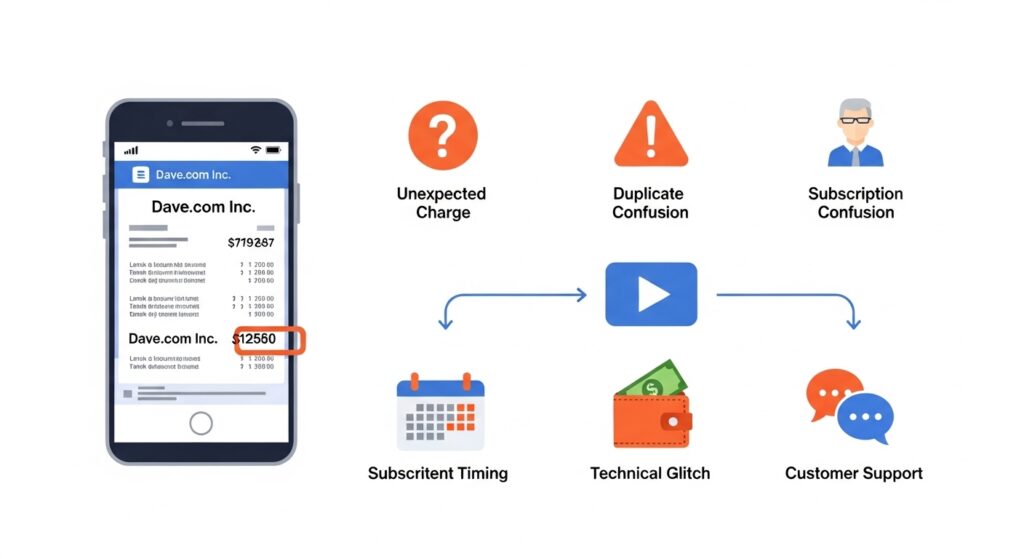
Some people report seeing charges even after they believe they have canceled their account. This often happens if the cancellation process wasn’t completed correctly. Simply deleting the app from your phone does not cancel the subscription, so you must follow the specific steps to end your membership to stop future hidden charges.
Finally, some people worry about unauthorized use of their card information. While rare, it is possible for your card details to be stolen and used to sign up for services without your knowledge. This is a serious concern and falls under the category of financial app security.
How to Cancel Your Dave Subscription
If you no longer need the Dave app, you can cancel your subscription to stop future payments. The process is straightforward and can be done directly within the app. Deleting the app from your phone will not stop the charges.
For comparison, other fintech-related subscriptions sometimes require a more detailed cancellation process, similar to FintechZoom’s guide to the best credit cards where managing fees and recurring payments is highlighted.
Here is a step-by-step guide to cancel your Dave subscription:
- Open the Dave app on your phone.
- Go to the “Account” tab.
- Find and tap on “Manage Membership.”
- Follow the on-screen instructions to pause or cancel your membership.
After you cancel, you will receive a confirmation. It is a good idea to keep this confirmation for your records. Once canceled, you should not see any more monthly subscription fees. However, if you have an outstanding ExtraCash™ advance, you will still need to repay it according to the terms you agreed to. Always double-check your next bank statement to ensure the charges have stopped.
How to Request a Refund from Dave.com
In certain situations, you may be eligible for a refund from Dave.com. For example, if you were charged by mistake or experienced a duplicate charge, you have a good reason to request your money back. Refunds for the monthly subscription fee are typically not granted if you simply forgot to cancel, but it is always worth asking.
Many readers also find it useful to check other related charges, such as the SP AFF charge on your bank statement, to understand how fintech platforms handle refunds and accidental charges.
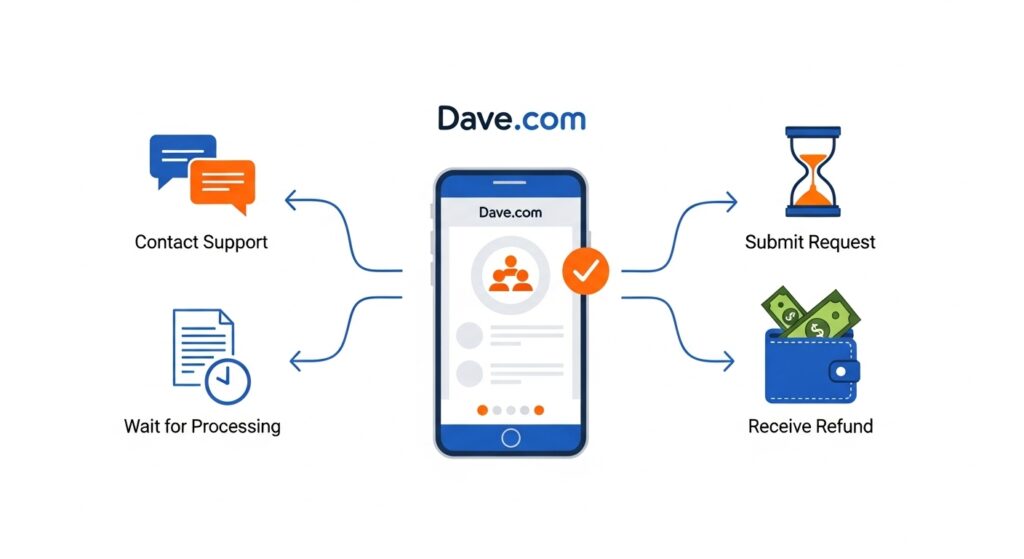
To request a refund, you need to contact Dave.com customer support. The best way to do this is through the app. In the support section, you can start a chat with a customer service representative. You can also contact them via email through their website.
When you make your refund request, be clear and concise. Explain why you believe you are owed a refund. Provide important details like the date and amount of the charge. If you have screenshots of the charge on your bank statement, having them ready can help support your case.
What to Do if You Suspect Fraud
If you are certain you never signed up for Dave and see a charge, you should treat it as a potential case of fraud. When you suspect fraudulent charges, it is important to act quickly to protect your finances.
The first step is to contact your bank or credit card company immediately. Report the unauthorized charge and tell them you believe your card information has been compromised. Your bank will likely cancel your card and issue you a new one to prevent any more fraudulent transactions.
Next, you can dispute the charge. Your bank will guide you through this process. You will need to fill out some paperwork explaining why the charge is not yours. The bank will then investigate the transaction. If they determine it was fraud, the money will be returned to your account. This process protects you from being responsible for charges you did not make.
Tips to Avoid Unexpected Charges in the Future
Managing your finances well can help you avoid surprises like unexpected bank statement charges. One of the best habits to develop is to monitor your bank statements regularly. Instead of waiting for the monthly paper statement, use your bank’s mobile app to check your transactions every few days.
Monitoring your subscriptions is key. Many people sign up for small monthly services and forget about them, just as some users notice recurring fees like the LPS charge on your bank statement. Keeping a list of all your subscriptions and checking statements regularly can help you catch these charges early.
It is also helpful to keep track of your subscriptions. Many people sign up for free trials or small monthly services and forget about them. Keep a list of all your recurring subscriptions, how much they cost, and when they are due. You can use a simple notebook or a budgeting app for this.
Finally, set up transaction alerts with your bank. You can ask your bank to send you a text or email notification every time a charge is made to your account. This allows you to spot any unauthorized or unexpected charges instantly, giving you a head start on resolving the issue.
How Dave.com Compares with Other Apps
Dave is one of many financial apps available today. It is often compared to other mobile banking apps like Chime, Varo, or Cash App. Each app offers slightly different features, so the best one depends on your needs. Some users also explore alternative services if they experience issues, similar to how unexpected charges like the Infinite Loop charge can appear from other apps. Understanding the nuances of each platform ensures you avoid hidden fees.
Dave’s main strength is its ExtraCash™ feature, which offers small, interest-free advances to prevent overdrafts. This is a huge benefit for people who sometimes find themselves short on cash just before payday. The $1 monthly fee is also much lower than the overdraft fees charged by traditional banks, which can be $35 or more per transaction.
However, other apps might be a better fit for different goals. Chime, for example, offers a fee-free online checking account with a feature called SpotMe®, which also provides overdraft protection. Cash App is popular for its easy peer-to-peer payments. The downside of Dave is that you must pay the monthly fee to access its main features, whereas some other apps offer core services for free.
Contacting Dave.com Customer Support
If you have a problem with a charge or need help with your account, you will need to contact Dave.com customer support. There are a few ways to get in touch with them.
The most efficient way is through the Dave app. The app has a dedicated support section where you can chat with a support agent. This is often the fastest way to get a response. You can also visit the Dave.com website and use their contact form concentração email support.
When you contact support, have your information ready. This includes your name, the email address associated with your account, and details about the charge in question, such as the date and amount. Being prepared will help the support team resolve your issue more quickly. Response times can vary, but using the in-app chat usually gets you the fastest help.
Frequently Asked Questions (FAQs)
Why is Dave charging me if I didn’t use the app?
Dave charges a $1 monthly subscription fee to maintain your membership, which gives you access to features like budgeting and eligibility for ExtraCash™ advances. You are charged this fee you used the app or not during the month. If you no longer want to be a member, you must formally cancel your subscription.
Can I use Dave without paying a monthly fee?
The core features of the Dave app, including overdraft protection eligibility, require the $1 monthly membership. If you do not pay the fee, you will lose access to these services.
How long do refunds take?
If your refund request is approved, the time it takes to get your money back can vary. It often depends on your bank’s processing times. Refunds can take anywhere from a few business days up to 10 days to appear in your account.
Is Dave safe to use?
Yes, Dave is a legitimate company that uses security measures to protect your personal and financial information. However, like with any financial app, it’s important to use a strong, unique password and be cautious about sharing your account details. Practicing good financial app security is always a smart idea.
Conclusion
Finding a charge from Dave.com Inc. on your bank statement is usually not a cause for panic. In most cases, it is either the small $1 monthly subscription fee or a one-time fee for an optional service you chose, like an instant cash transfer. By checking your statement, you can usually identify what the charge is for. If you no longer use the service, be sure to cancel your Dave subscription through the app to prevent future charges.
If you believe the charge is a mistake or fraudulent, contact Dave.com customer support and your bank right away. By staying aware of your transactions and managing your subscriptions, you can keep your finances secure and avoid any unwelcome surprises.