What Are the FastSpring or FSPRG.COM Charges on Your Bank Statement?
Have you ever looked at your bank statement and seen a charge you did not recognize? It can be a little worrying. One common name that appears is “FastSpring” or “FSPRG.COM,” leaving many people wondering what it is.
Seeing an unknown credit card charge can be confusing, but there is usually a simple explanation. This article will help you understand what these bank statement charges mean, why they are there, and what you should do about them. Most of the time, these are for legitimate online payments you made.
What is FastSpring?
FastSpring is a company that helps other businesses sell their products online. Think of it as a cashier for the internet. When you buy software, a game, or a digital course, the company you are buying from might use FastSpring to handle the payment.
If you are curious about similar types of bank statement charges, you might also find our guide on Harland Services charge on your bank statement helpful.
FastSpring is a payment processor. This means it safely takes your payment information and makes sure the money gets to the seller. It handles things like credit card processing, billing, and taxes for thousands of companies around the world.
So, why do you see “FastSpring” on your statement instead of the name of the product you bought? It’s because FastSpring is the official merchant of record. This means they are the ones legally processing your payment, so their name appears on the billing details.
What is FSPRG.COM on a Bank Statement?
FSPRG.COM is simply a shortened name that FastSpring uses for billing. When a charge shows up on your bank or credit card statement, there is limited space for the name. Companies often use a short version, called a billing descriptor, to fit.
There is no real difference between a FastSpring payment and FSPRG.COM billing. Both refer to the same company. If you see either of these on your statement, it means you purchased something from a business that uses FastSpring to process its payments.
Banks and credit card companies use these merchant billing names to identify who processed the transaction. It can be confusing when you expect to see the name of the software or service you purchased, but seeing FSPRG.COM is a normal part of online payments for many digital purchases.
Why Do These Charges Appear?
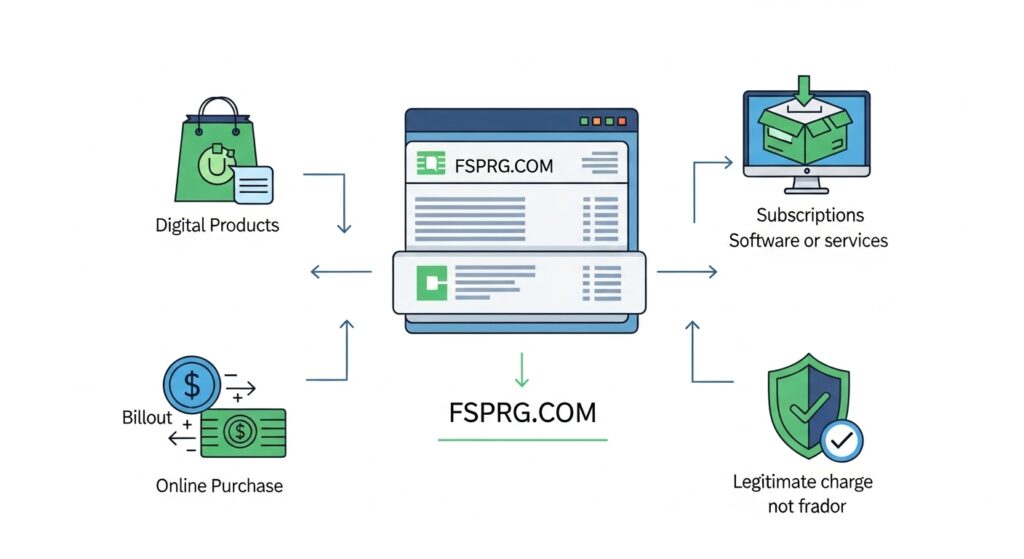
There are several common reasons why a FastSpring or FSPRG.COM charge might show up on your statement. Most are for things you bought on purpose. Similar to Google Supercell charges, these entries can sometimes appear confusing at first, but they usually relate to legitimate online purchases.
Single Online Purchases
The most common reason is a one-time purchase. You might have bought a software license, a video game, an e-book, or a design template from a website. The seller used FastSpring to handle the transaction, so their name appears on your statement.
Subscriptions or Recurring Payments
Many online services use a subscription model. This could be for antivirus software, a learning app, or a streaming service. These recurring payments are charged automatically every month or year. A FSPRG.COM charge could be for a subscription you signed up for.
Trial Versions That Became Paid Plans
Sometimes, you might sign up for a free trial of a product. Often, these trials require you to enter your payment details. If you do not cancel before the trial period ends, it automatically converts into a paid subscription. This is a common source of unexpected subscription charges.
Is It a Scam or a Legitimate Charge?
While most FSPRG.COM charges are legitimate, it is always smart to be careful. The first step is to figure out if the charge is real. An authentic FastSpring charge is for a product or service you purchased from one of their clients.
A warning sign of fraud would be multiple charges in a short period or charges appearing after you have already confirmed you have no active subscriptions. If you are certain you have never made any digital purchases that would use this service, you should investigate further.
If a charge seems suspicious, do not ignore it. The best thing to do is to look for more information before contacting your bank. Most of the time, a quick search through your emails will solve the mystery.
How to Confirm the Charge is From FastSpring
If you see an FSPRG.COM charge and are not sure what it is for, there are easy ways to check. This will help you identify the original purchase and decide what to do next.
Check Your Email for Purchase Receipts
Whenever you make an online purchase through FastSpring, they send a receipt to your email address. Search your inbox (and your spam folder) for emails from “FastSpring”. This receipt will contain all the details about your order, including the product name, the seller, the price, and the date.
Use FastSpring’s Order Lookup Tool
FastSpring has a helpful tool on its website where you can look up your order. You just need the email address you used for the purchase and some other details from the transaction. This will show you a history of your purchases made through their platform.
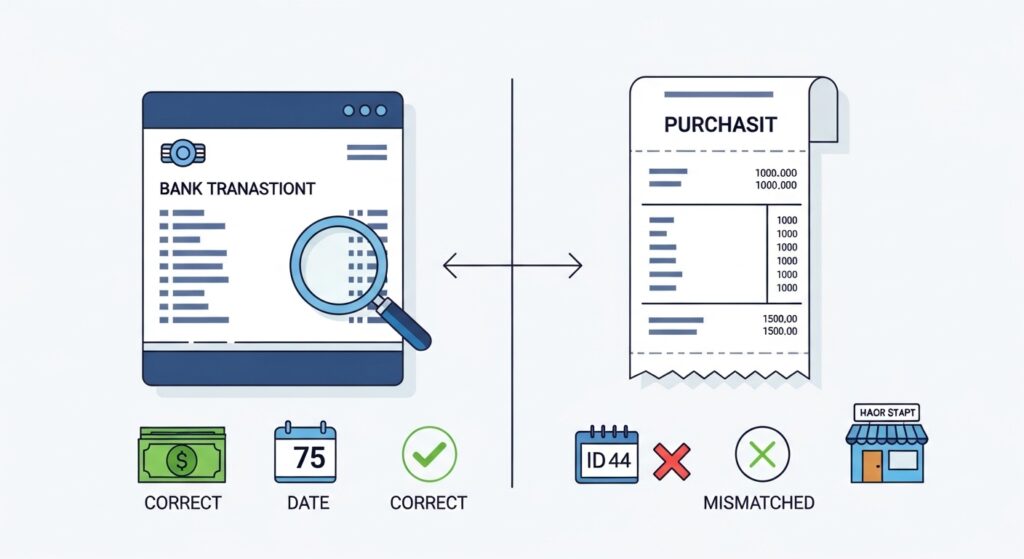
Compare Details With Your Bank Transaction
Once you find your email receipt or order details, compare them with the transaction on your bank statement. Check the date and the amount. They should match perfectly. This is the quickest way to confirm that the FSPRG.COM billing is for something you actually bought.
Steps to Handle an Unknown FSPRG.COM Charge
If you still cannot identify a charge, follow these steps. It is important to go in order and not jump straight to disputing the charge with your bank.
Step 1: Review Your Recent Online Purchases
Think back over the last few weeks. Did you buy any software, digital art, or online courses? Did you sign up for a free trial? Sometimes we simply forget about a purchase, especially if it was small.
Step 2: Search Your Email for FastSpring Receipts
As mentioned before, this is the most important step. Search all your email accounts for the word “FastSpring.” The receipt you find will give you the name of the product and the company you bought it from.
Step 3: Contact the Seller or FastSpring Support
If you find the receipt but still have questions, you should contact the seller of the product directly. Their contact information is usually on the receipt. If you cannot find the seller’s details, you can contact FastSpring’s customer support. They can help you identify the charge.
Step 4: Cancel the Subscription If Not Needed
If you discover the charge is for a recurring subscription that you no longer want, you should cancel it. You can usually do this through a link in your original receipt. This will stop any future subscription charges.
Step 5: Dispute the Charge With Your Bank (Last Option)
Contacting your bank to dispute the charge should be your last resort. This process is known as a chargeback. You should only do this if you are certain the charge is fraudulent and you have already tried to resolve it with the seller or FastSpring.
For other types of digital payment inquiries, see our article on FTB MCT refund charges to compare the investigation process.
How to Cancel a FastSpring Subscription
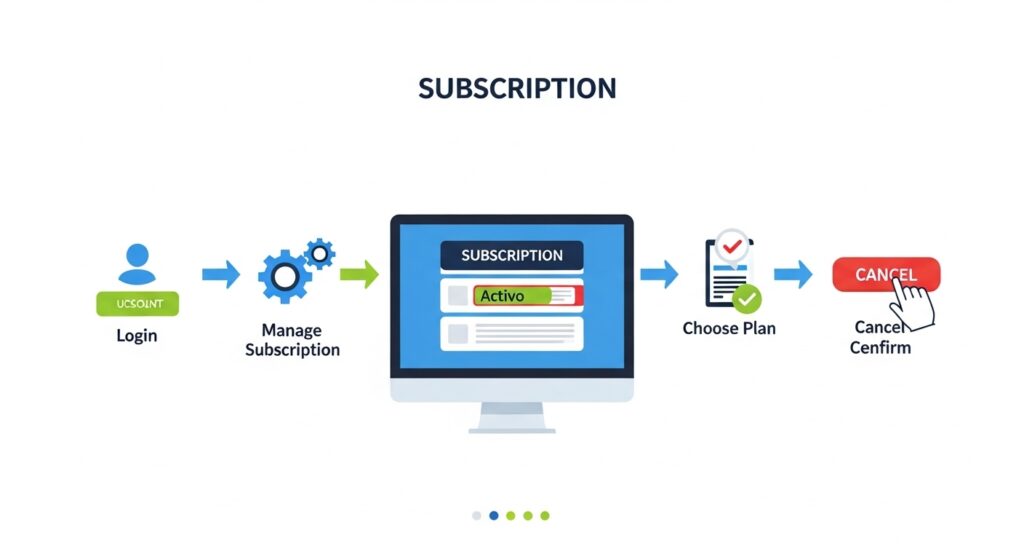
If you find that an FSPRG.COM charge is for a subscription you do not want, you can cancel it easily. Stopping recurring payments will prevent you from being billed again.
Your original email receipt from FastSpring contains a special link to manage your order. Click this link to go to a page where you can view your subscription details. Here, you will find an option to cancel the auto-renewal.
Once you click to cancel, follow the on-screen instructions. After you successfully cancel the subscription, FastSpring will send you a confirmation email. Be sure to save this email as proof that you have stopped future payments.
Refunds and Chargebacks
What if you want your money back? It depends on the situation. You might be eligible for a refund, but it is different from a chargeback.
When You Can Request a Refund
You can request a refund if you are unhappy with the product, if you bought it by mistake, or if you were charged for a renewal you did not want. You should make your refund request directly to the seller of the product. Their refund policy will determine if you get your money back. FastSpring processes the refund, but the seller must approve it first.
How Chargebacks Work
A chargeback is when you ask your bank to reverse a transaction because you believe it was fraudulent or unauthorized. A chargeback is a serious step. It can negatively affect the seller’s business. You should only start the chargeback process after you have tried to get a refund from the seller and failed.
How to Avoid Confusion With Bank Charges
You can take simple steps to avoid seeing an unknown credit card charge in the future. Good habits can save you a lot of stress.
First, keep a list of your subscriptions and when they are due to renew. Set reminders on your calendar to review them before the renewal date. This way, you can cancel any you no longer need.
Second, always check your merchant receipts after making an online payment. Make sure the name on the receipt matches what you expect. Save purchase confirmation emails in a special folder so you can find them easily. This makes tracking your digital purchases much simpler.
FAQs
Here are some common questions about FSPRG.COM charges.
Is FSPRG.COM safe?
Yes, FSPRG.COM is a safe and legitimate billing descriptor for FastSpring. It means you bought a product from a company that uses FastSpring to process payments.
Can I remove the charge permanently?
You cannot remove a charge for something you purchased. If it is for a subscription you no longer want, you must cancel the subscription to prevent future charges.
What if I never bought anything?
If you are absolutely sure you never made a purchase, it could be a mistake or fraud. First, check with family members to see if they used your card. If not, follow the steps above to investigate, and contact your bank if you confirm it is fraudulent.
Will canceling affect my product access?
If you cancel a subscription, you will usually have access to the product or service until the end of the current billing period. After that, your access will end.
Conclusion
Seeing an FSPRG.COM or FastSpring charge on your bank statement can be surprising, but it is rarely a cause for alarm. These charges are almost always for legitimate digital purchases or recurring subscriptions from businesses that use FastSpring as their payment processor.
By following the steps in this guide, you can quickly identify the source of the charge. Remember to check your emails for receipts, use FastSpring’s lookup tool, and contact the seller if you have questions. By practicing safe online spending habits, you can manage your online payments with confidence.
For more detailed guidance on FastSpring charges specifically, you can check out our dedicated article on FastSpring or FSPRG.COM charges on your bank statement.