How Does Paramount Plus Show Up on a Bank Statement?
Reviewing your bank statement and finding a charge you don’t recognize can be unsettling. With so many subscription services available, it’s easy to lose track of what you’ve signed up for. These charges often appear with unclear names, causing confusion and concern. This situation is similar to other unexplained entries people encounter, such as the FID BKG SVC LLC charge on your bank statement or the WU WUvisaaft charge.
Paramount Plus, a popular streaming service, is one such subscription that might show up under a name you don’t immediately recognize. This article will help you understand how Paramount Plus charges appear, why they might look unfamiliar, and what to do if you can’t place the transaction.
What Is Paramount Plus?
Paramount Plus is a streaming platform that offers a vast library of movies, TV shows, original content, live sports, and news. From blockbuster films to exclusive series, it provides entertainment for all ages. Like other streaming services such as Netflix or Hulu, Paramount Plus operates on a subscription model. You pay a recurring monthly or annual fee to access its content.
Billing is typically handled directly through your credit or debit card, but you can also subscribe through third-party services like PayPal, Apple, Google Play, or Amazon.
How Paramount Plus Appears on a Bank Statement
When you see a charge from Paramount Plus, the description on your bank statement can vary. This often depends on how you signed up and which payment method you used. The billing descriptor may not simply say “Paramount Plus.”
Here are some of the most common ways the charge might appear:
- PARAMOUNT+
- CBS INTERACTIVE
- PARAMOUNT DIGITAL
- P+ or PARAMOUNT PLUS
- GOOGLE*PARAMOUNT (if billed through Google Play)
- APPLE.COM/BILL (if billed through Apple)
- AMZNMKTPLACE or Amazon Digital (if billed through Amazon Prime Video Channels)
- PAYPAL*PARAMOUNT (if billed through PayPal)
The name can also be followed by a customer service phone number or a transaction identifier. The key is to look for “Paramount,” “P+,” or “CBS,” as CBS was the previous brand name for the service.
Why the Charge May Look Unfamiliar
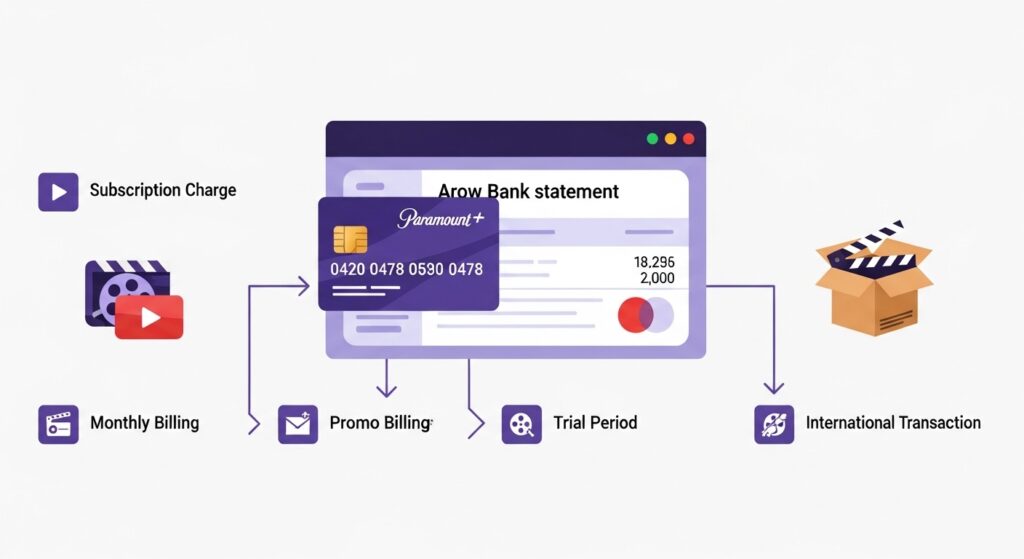
There are several reasons why a Paramount Plus charge might not ring a bell, even if you are a subscriber. In fact, confusion over descriptors is common with many services, whether it’s the PNP BillPayment charge or a label like “CBS Interactive” tied to Paramount.
- Parent Company Billing: Charges sometimes appear under the name of a parent company or a payment processor. For instance, “CBS Interactive” was a common descriptor before the service rebranded, and it may still be used by some billing systems.
- Shared or Family Accounts: Did a family member or someone with access to your payment information sign up for the service? It’s common for a spouse, partner, or child to subscribe to a service, and you may not have been aware of it.
- Free Trial Rollover: Many subscriptions begin with a free trial. You might have signed up for a 7-day trial to watch a specific show or movie and forgotten to cancel it before it ended. Once the trial period is over, it automatically converts to a paid subscription, and the first charge appears on your statement.
How to Verify the Paramount Plus Charge
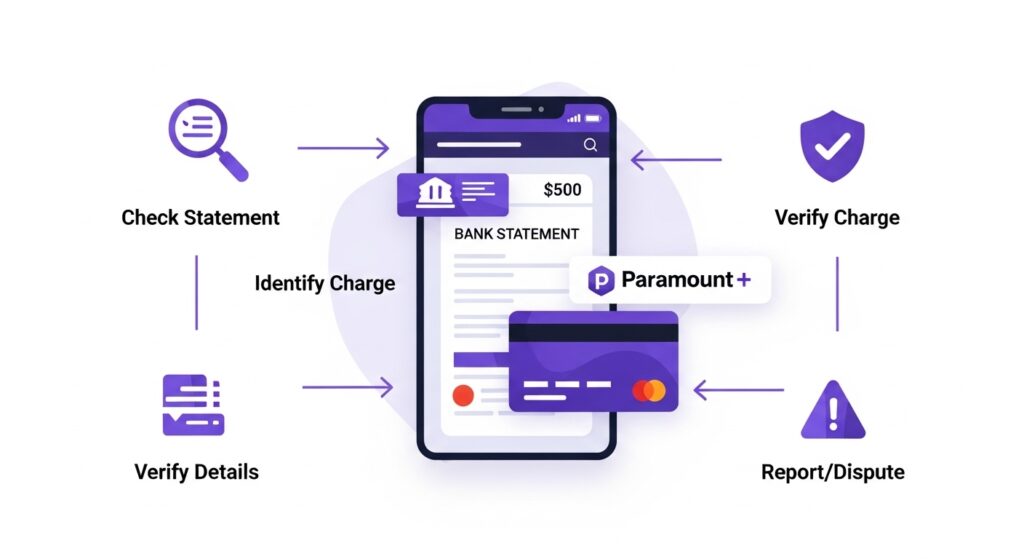
If you find a charge that you suspect is from Paramount Plus but aren’t certain, there are a few simple steps you can take to verify it.
- Check Your Paramount Plus Account: Log in to your Paramount Plus account on their website. Navigate to the “Account” section, where you should find a “Subscription & Billing” area. Here, you can view your current plan, the next billing date, and your billing history.
- Match the Charge: Compare the charge amount and date on your bank statement with the information in your Paramount Plus billing history. They should match perfectly.
- Contact Customer Support: If you can’t access your account or still have questions, the Paramount Plus customer support team can help. Provide them with the date and amount of the charge, and they can look up the transaction for you.
What to Do If You Don’t Recognize the Charge
After investigating, you might confirm the charge is for a subscription you don’t want or, in rare cases, one that is fraudulent.
- Cancel an Unwanted Subscription: If you or a family member signed up and no longer use the service, you can easily cancel it. Go to the “Subscription & Billing” section of your Paramount Plus account and follow the steps to cancel. You will typically retain access until the end of the current billing cycle.
- Request a Refund: If you were charged for a subscription you forgot to cancel after a free trial, you can contact customer support to request a refund. Policies vary, but it’s worth asking, especially if you haven’t used the service since the trial ended.
- Dispute an Unauthorized Transaction: If you are certain that neither you nor anyone with access to your accounts authorized the charge, you should contact your bank or credit card company immediately. They can help you dispute the transaction and take steps to secure your account from further fraudulent activity.
After investigating, you might confirm the charge is for a subscription you don’t want or, in rare cases, one that is fraudulent. Keep in mind, similar billing concerns arise with other companies too. For example, people often question entries like the Infinite Loop charge or even how Walmart shows up on a bank statement.
The process for resolving them is quite similar: identify the source, contact customer support, and dispute the transaction if it’s unauthorized.
Tips to Avoid Subscription Confusion
Managing multiple subscriptions can be tricky. Charges aren’t always straightforward, and entries like NWEDI on a bank statement can look just as confusing as Paramount Plus billing terms. Here are a few tips to stay organized and avoid surprise charges in the future.
- Keep a List: Maintain a simple list of all your active subscriptions, their monthly cost, and their renewal dates.
- Set Reminders: Whenever you sign up for a free trial, immediately set a calendar reminder for a day or two before it ends. This gives you time to decide if you want to keep the service or cancel it.
- Consolidate Payments: If possible, use a single credit card or payment method for all your entertainment subscriptions. This makes it much easier to review all your charges in one place each month.
Conclusion
A mysterious charge on your bank statement can be alarming, but it often has a simple explanation. Charges for Paramount Plus can appear under several names, including “CBS Interactive” or “P+,” which can cause confusion. By checking your account history, reviewing past free trials, and talking to family members, you can usually identify the source of the charge quickly.
Regularly reviewing your bank statements and keeping track of your subscriptions is the best way to stay in control of your finances and avoid any unwanted surprises.